
Movies
The Movies page has three tabs:
- Calendar: movies coming out digitally, month by month. Ones Plex already has fold away until you tap Show.
- Top Movies: the most popular movies of a year, or of all time. Ones Plex already has fold away until you tap Show.
- Find: your wishlist, and a search for any movie. On wishlist posters, the Digital icon means the movie is out to stream, so a search can find it; Theaters means it’s only in cinemas so far.
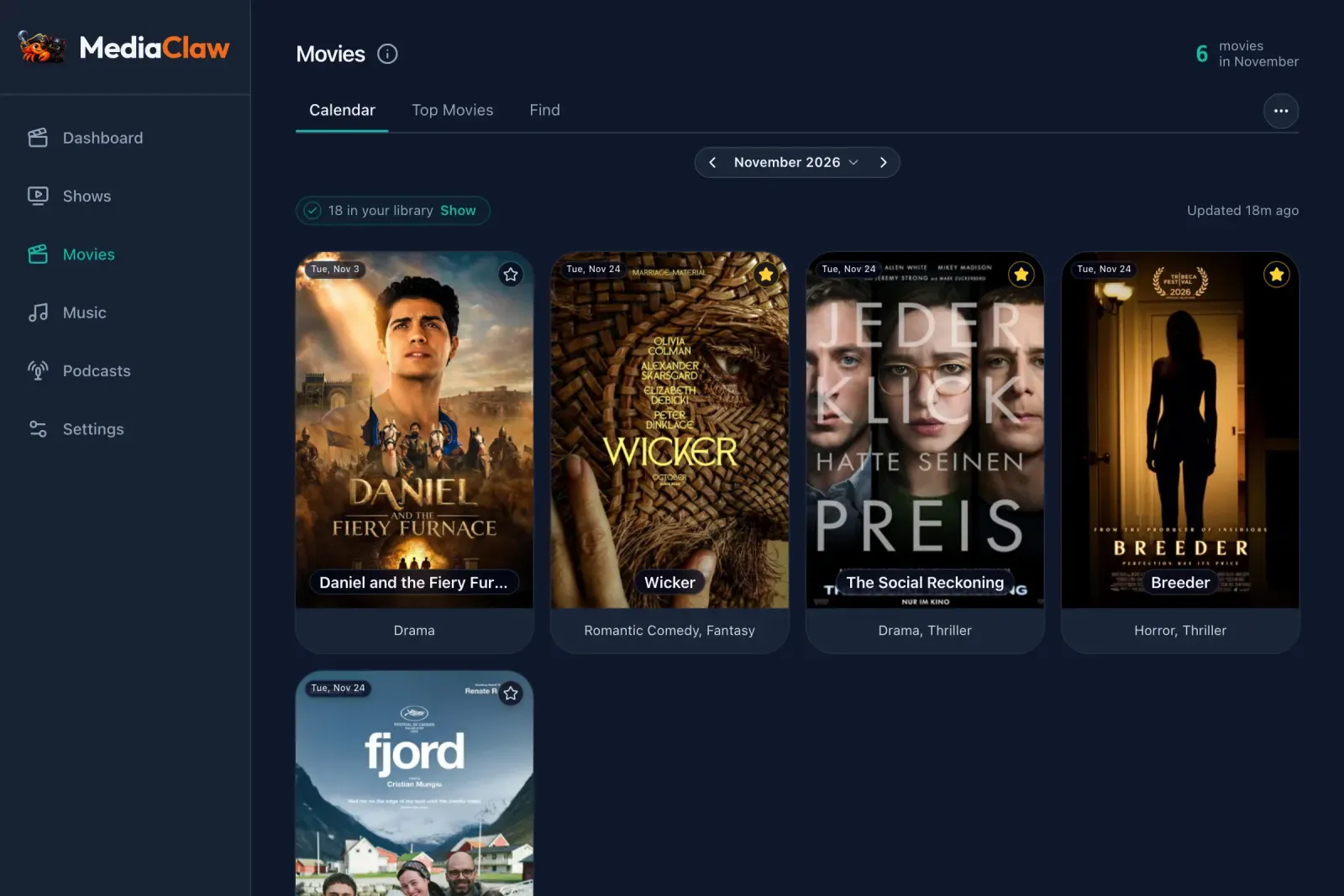
The Calendar tab: this month’s digital releases. Star one to add it to your wishlist.
What downloads on its own
- Wishlist: star a movie on the Calendar or Top Movies tab. From its digital release, MediaClaw watches the feeds and searches for it every few hours, and downloads a release that fits your quality settings. Star one that’s already out and it checks the last 180 days of feeds right away. If it doesn’t turn up soon after release, it moves to the dashboard’s Overdue card, where the search keeps going (by default once a day for 60 days).
- Release years: turn on Download every new movie from chosen years in the Movies page’s Preferences to get every new movie from the years you pick, starred or not. The same sheet sets the quality. To pick from them instead of getting them all, turn off Release-year movies in the dashboard’s Auto downloads tile.
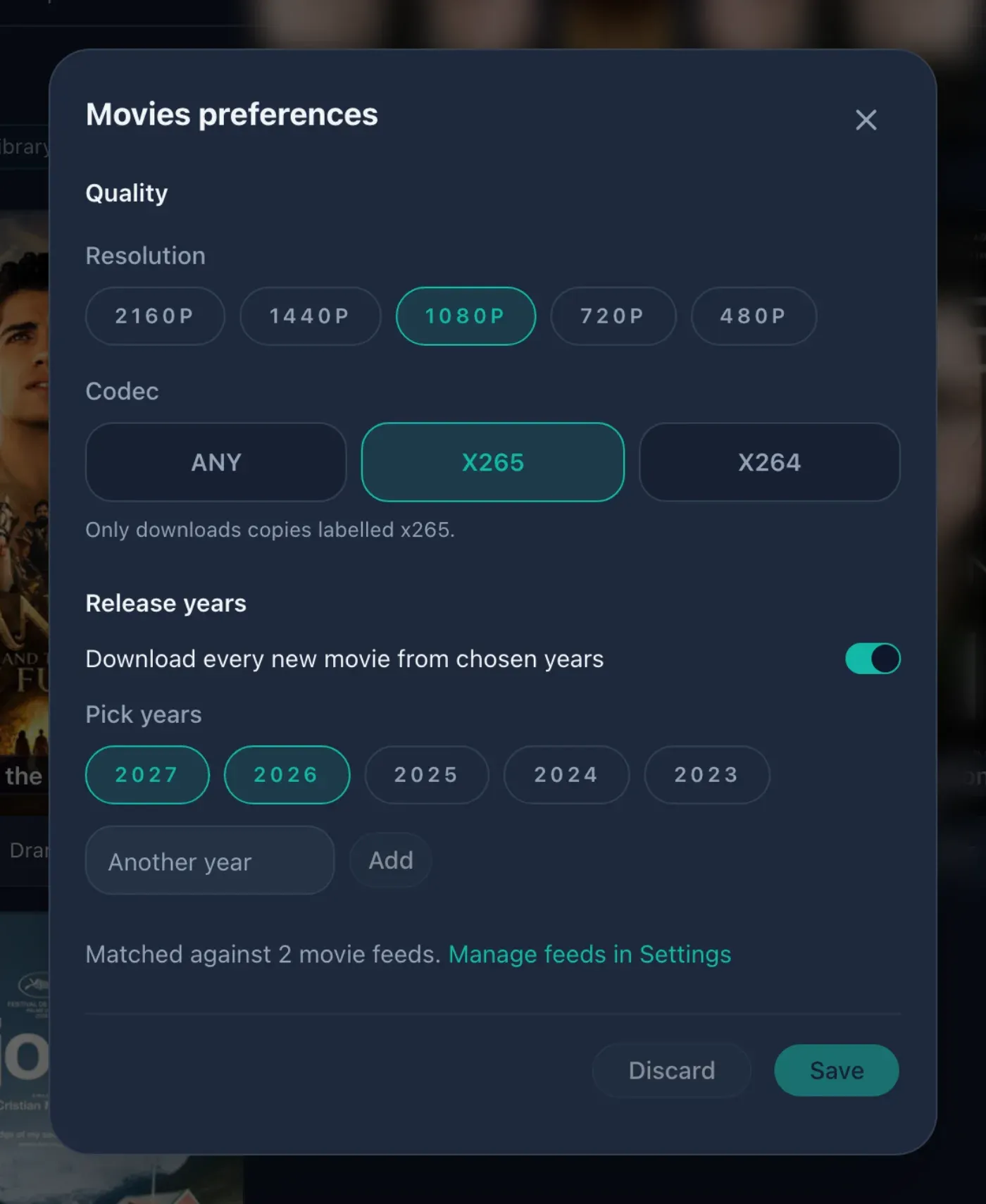
Movies Preferences: quality and release years.
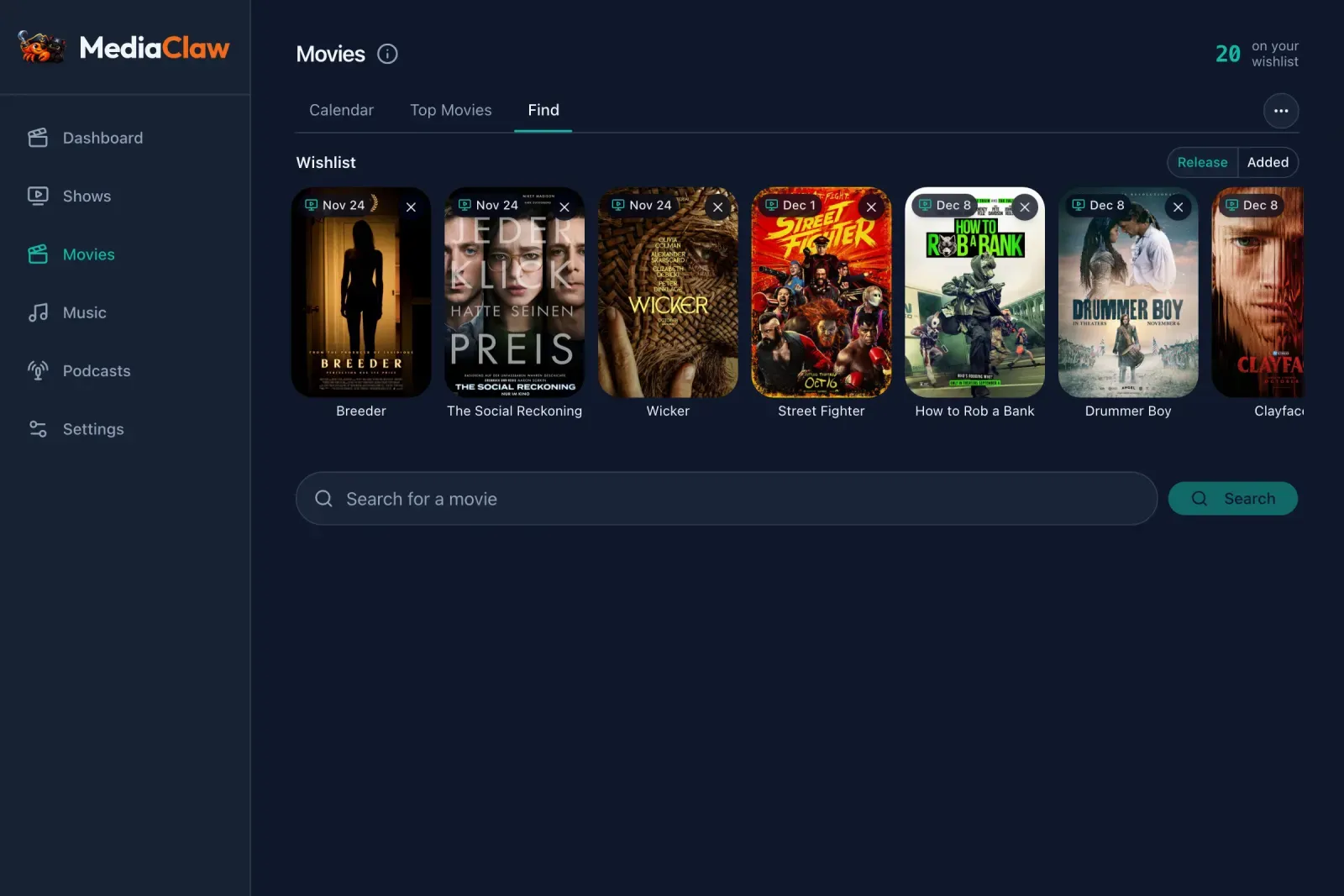
Your wishlist, under Find.
Anything else, search for it in Find and grab it yourself. Each result is marked In your library when Plex has the movie, and says whether that release would be an upgrade. Automatic downloads skip movies you already have.
Posters and ratings sooner
Add your own free TMDB key and movies get their posters and ratings before the download finishes. It’s optional; everything above works without it.