
Welcome to MediaClaw
MediaClaw is a Mac app that shows what your Plex library is missing, follows what’s coming out next, and fills the gaps you choose. Plex organizes and plays your library, but it doesn’t tell you what’s missing. MediaClaw does: how many episodes each season has, which of an artist’s albums you have, and which new movies you don’t have yet.
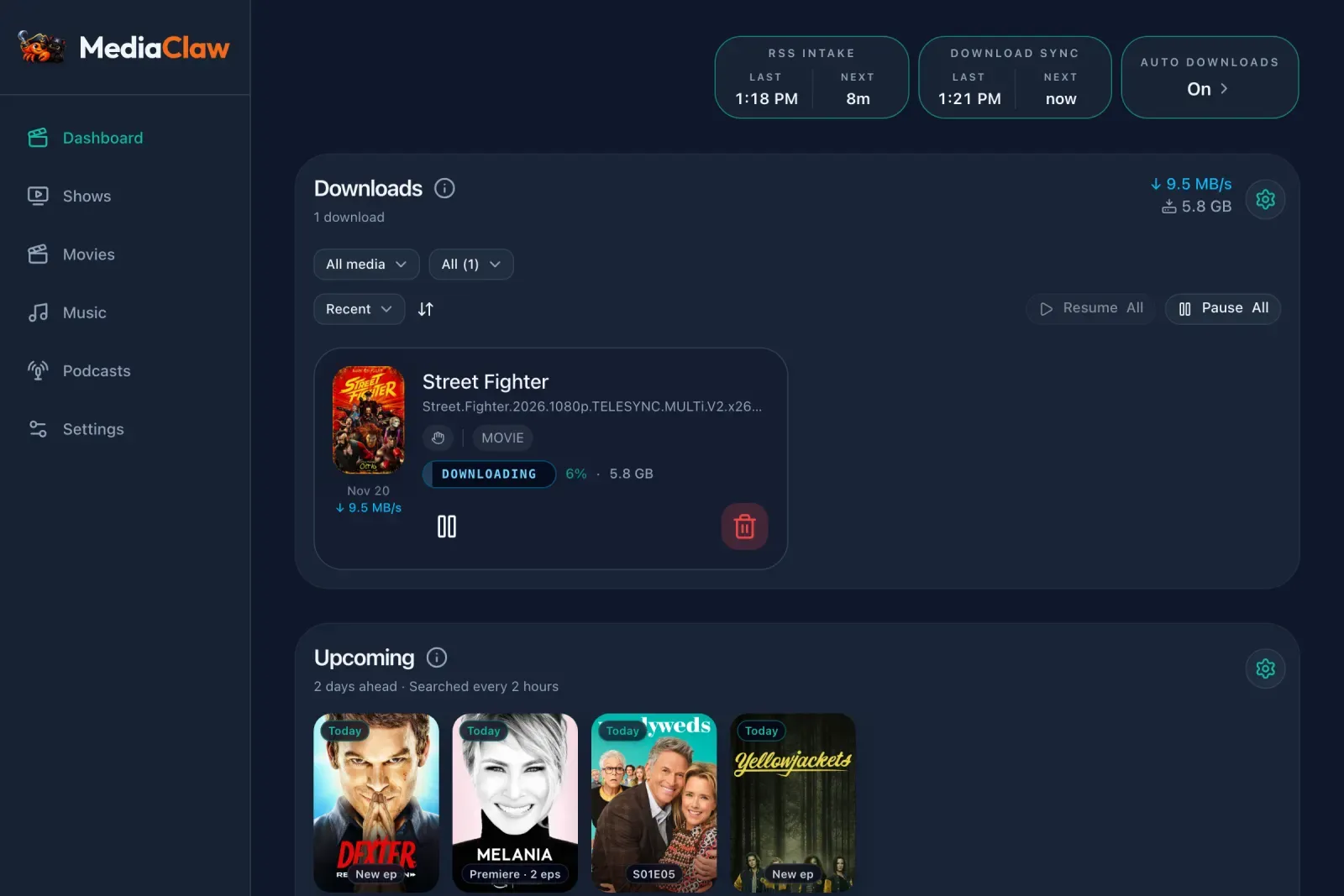
The dashboard: what’s downloading, what’s coming up, and when the feeds were last checked.
New episodes of the shows you track, and the movies you ask for, download on their own. Older gaps you grab yourself, in a couple of clicks. Either way, MediaClaw names and files each download the way Plex expects and asks Plex to scan, so it simply appears.
What you need
- A Mac with Apple Silicon running macOS 13 or later.
- Plex Media Server, on the same Mac or on a server on your network.
- A place for your media: the Mac’s drive or an external drive.
Where to start
- Install MediaClaw and start your free trial.
- Set it up: choose a media folder, connect Plex, and pick what to watch for.
- Read How MediaClaw works for the everyday flow.
- When you’re ready, buy a license.
Use MediaClaw only with media you have the right to access. MediaClaw doesn’t include or host any movies, shows, music or podcasts.